 Lento
Budgeting, for people who hate budgeting
For everyone who's ever given up on a budget.
Lento builds it, sorts it and keeps it calm. You glance for a minute and get on with your day.
✓ You're on the list.
Check your email for a short note from Lento. We'll write again when Lento opens.

If budgeting has ever felt…
Hard
Lento builds your budget from what you really earn and spend. You look it over and save.
Time-consuming
Purchases come in and sort themselves. Most days it's a one-minute glance.
Confusing
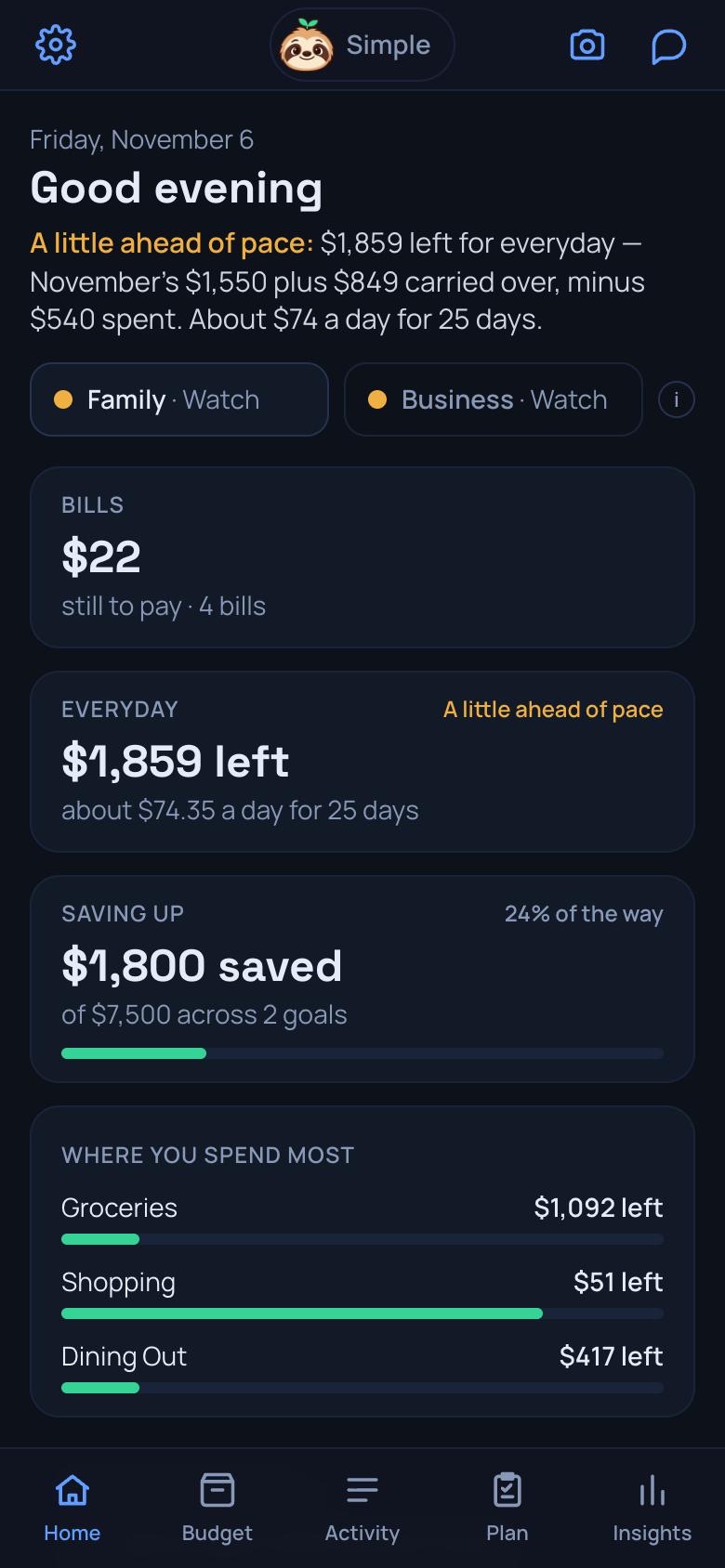
One plain sentence on Home tells you how the month is going. Everything else is a tap away, if you want it.
Judging
No red walls, no guilt. Went a bit over? It's a quiet line with one tap to cover it.
Restricting
Lento never plans money you don't have, and never tells you what you can't do. It shows what's left; you decide.
Like homework that never ends
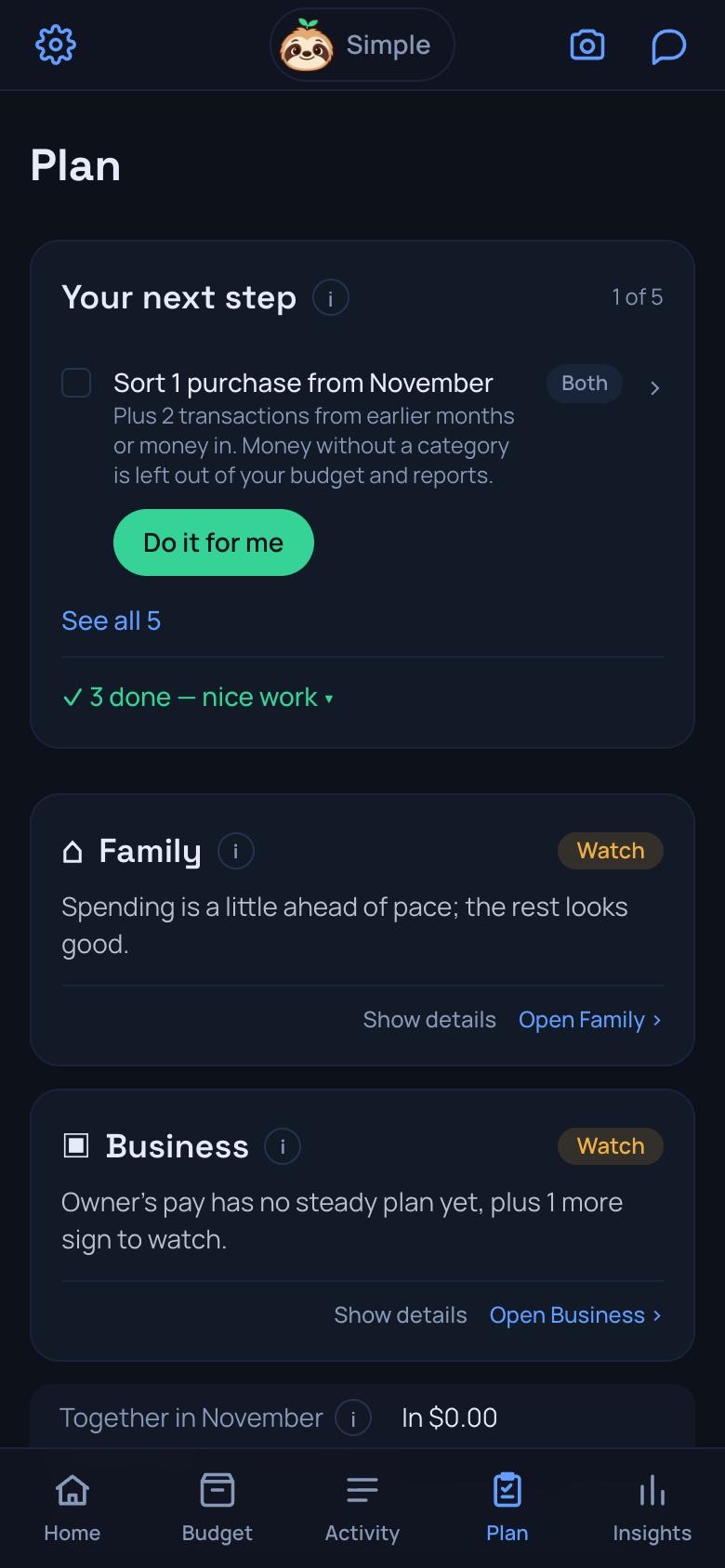
One next step at a time, and Lento offers to do it for you. You just confirm.
The problem was never you. It was the spreadsheets.

Why a sloth?
Lento means "slowly." No pressure, no race, nothing to keep up with. A few minutes most days is plenty, and that's the pace Lento keeps with you.
How it works
Set it up once. After that, a minute most days.
Connect your accounts
Checking, savings, cards, investments. Your bank connects through Plaid, so purchases come in on their own. Lento can't move money.
Lento sorts and plans
Every purchase lands in the right category, and Lento remembers when you change one. It builds the month's budget too; you just look it over.
You glance and confirm
Open it for a minute: how the month is going, what's left for everyday, and one next step, which Lento offers to do for you.
For couples
One of you loves spreadsheets. The other would rather not.
Most couples have one budgeter and one person who'd rather run at the word. With Lento, both of you see the same picture, in plain words, and each takes part as much as you like.
For the one who'd rather not
Open Home and read one sentence about how the month is going. No jargon, nothing to fill in.
For the detail-lover
Tap Lento and his glasses slide on: every category, rule, forecast and chart, ready to dig into.
Same budget, either way
One of you in Simple, the other in Nerdy, same numbers. Each of you has your own login, and every number has an ⓘ that says what it means.
Every morning
The whole month in one look
The three screens you'll use most; swipe to see them all.
How the month is going, in one sentence
What's left for everyday, the bills still to come, what you're saving up for, and where you spend most.
One step at a time. Lento offers to do it.
Lento shows what it will do first. Nothing changes until you tap "Do it".
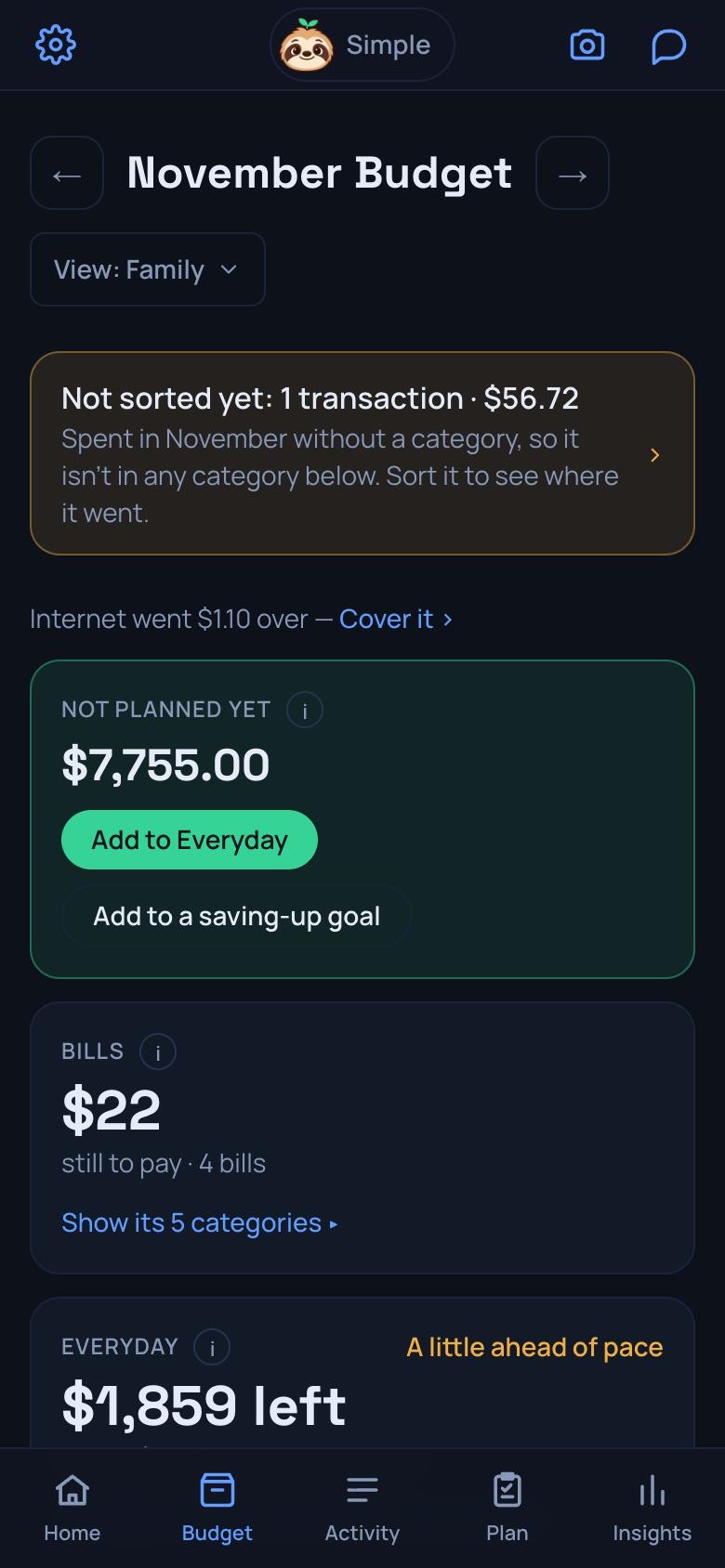
A budget you didn't have to build
Bills, Everyday and Saving up. Lento drafts the month from what you really earn and spend; you look it over and save.

Glasses on
Love the details? Put the glasses on.
Tap Lento at the top of any page and his glasses slide on: every detail, for whoever wants it. Tap him again for the simple view.
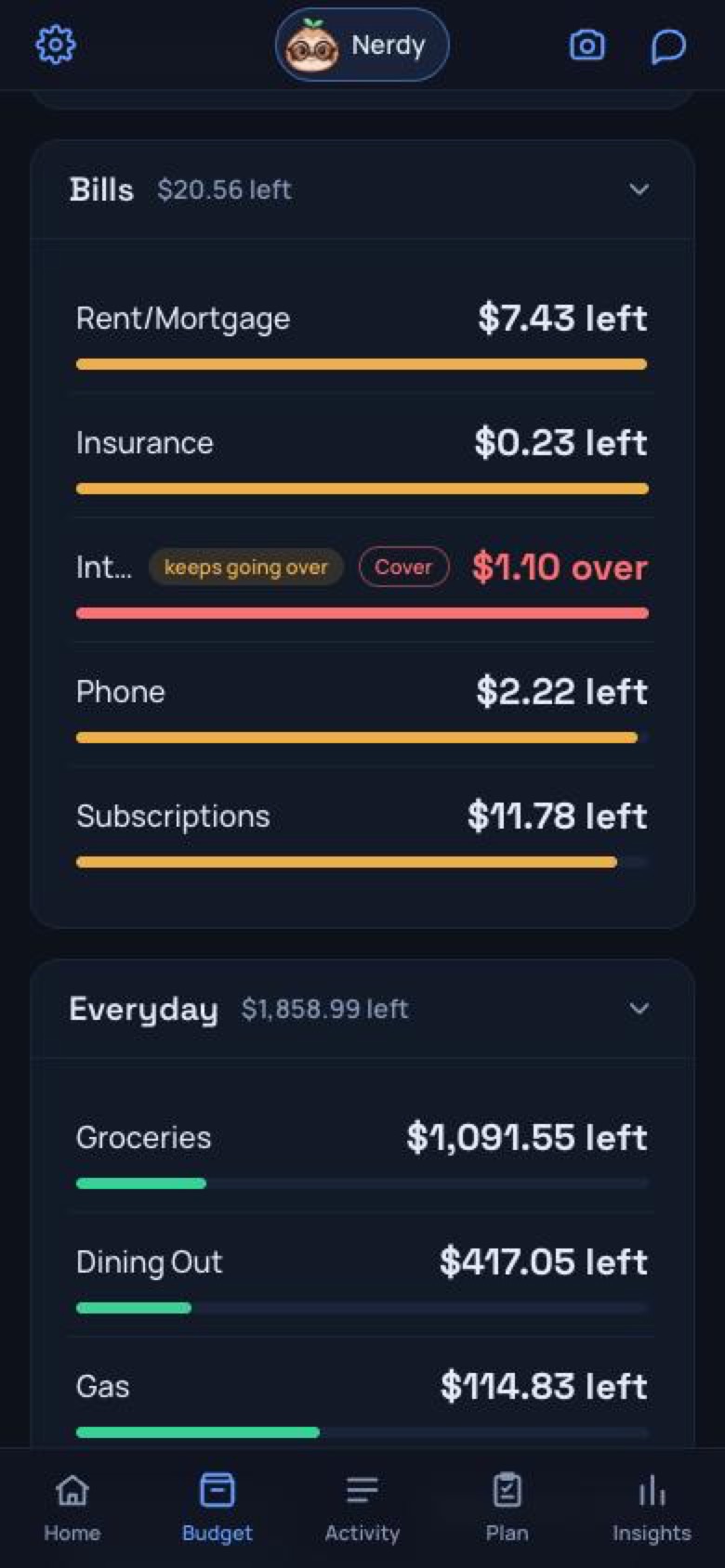
Every detail, when you want it
Ask in plain English
"How much did we spend eating out this year?" Ask Lento, and get an answer from your own numbers.
Run a small business? It gets its own books
If your business runs through your accounts, it gets its own budget, profit, owner's pay and tax set-aside, so it never looks like family spending. No business? You'll never see it.
Sorting that learns
Change a purchase's category once and Lento remembers, so the same store lands in the right place next time.
Receipts in a snap
Photograph a receipt (or upload a PDF) and it attaches itself to the right charge, even before the charge shows up.
Cash forecast
See your balance 30, 60 or 90 days ahead from your recurring bills and paychecks, and the lowest point before it happens.
Where small steps lead
Someday, financial freedom: how much you'd need to stop depending on a paycheck, when you'd get there at today's pace (Social Security included), and what would move the date.
Your data
Your bank connects through Plaid
Plaid securely links your bank to the apps you choose. Plaid lists apps like Venmo, Chime, SoFi and YNAB among the many that use it. You sign in to your bank in Plaid's own window, and from then on your purchases come into Lento automatically.
Your bank password stays out of Lento
You type it into Plaid's window, never into Lento, and Plaid doesn't pass it on to us.
Look, don't touch
Lento reads accounts, balances and transactions. It can't move money or change anything at your bank.
Never sold, no ads
Your data runs your budget and nothing else. No trackers in the app.
You stay in control
Pick which accounts to share and disconnect any time. Two-step sign-in, encrypted bank keys, and households walled off from each other.
More on how Plaid works, or manage every app you've connected at my.plaid.com.
Opening to a few families at a time
If budgets have never stuck for you, Lento was made for you.
The beta is invite-only while we make sure everything is solid. Relax and take a look around the demo in the meantime.
Questions before you join? Email [email protected].